
Share files with exactly the people you choose.
Gatekeep is open-source file sharing you run yourself. Every recipient gets their own password, links expire on your schedule, and every unlock attempt is on the record.
Q3-board-report.pdf
4.2 MB · PDF
- Expires
- in 7 days
- Downloads
- 2 of 5
Features
Everything a private link should have.
Public links leak and shared drives want everyone to sign up. Gatekeep sits in between: you own the storage, and every person gets their own key.
A password for every recipient
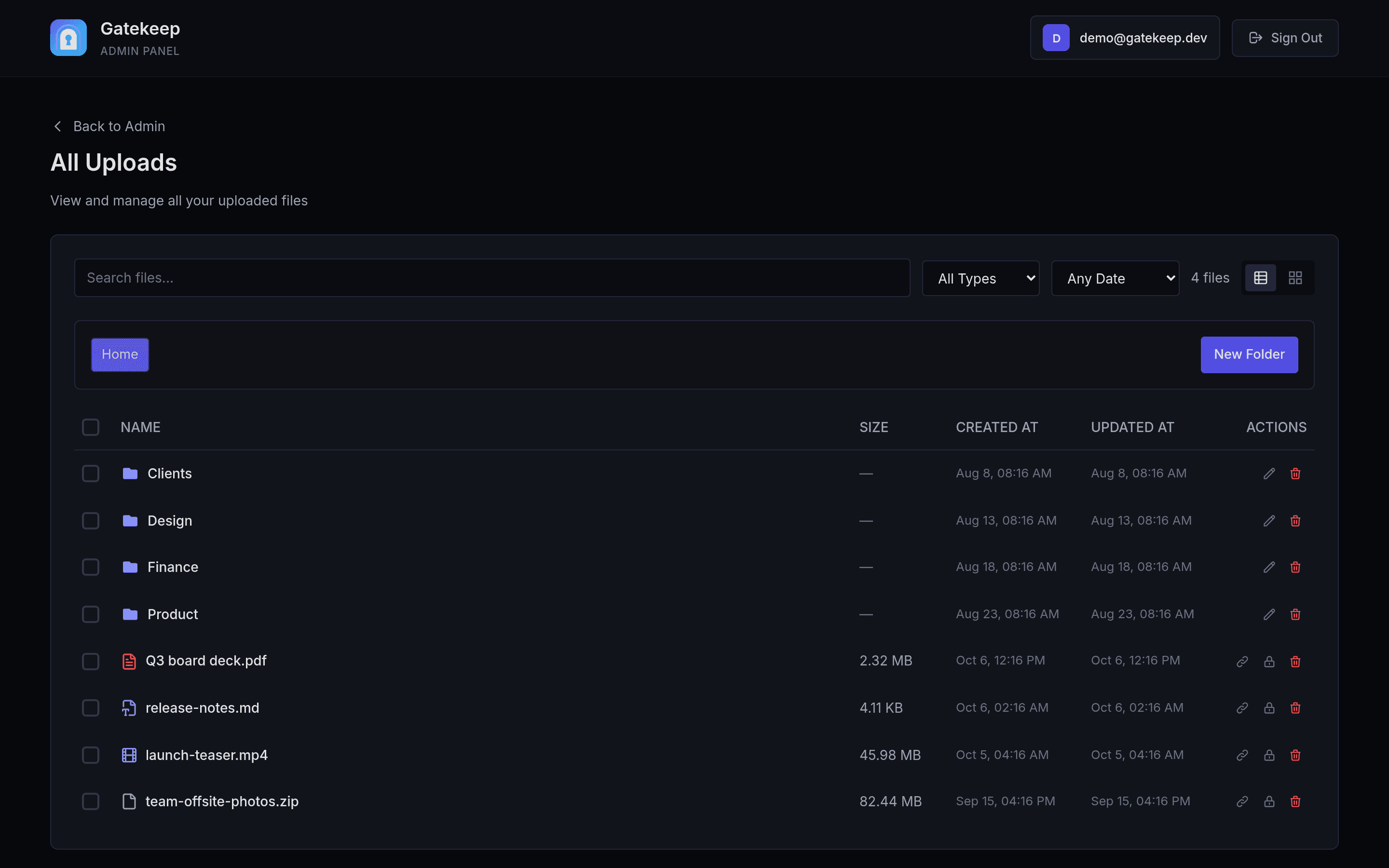
Grant access by email or username — one at a time or a whole list in bulk — or create a public link that only needs a password.
- Mmaya@acme.coEmailExpires in 7 days
- Jj.chenUsername2 of 5 downloads
- *Anyone with the linkPublicPassword only
Links you can read aloud
Every file gets a six-character code on your own domain.
dl.example.com/
aB3xY9
56.8 billion possible codes
Expiry & download limits
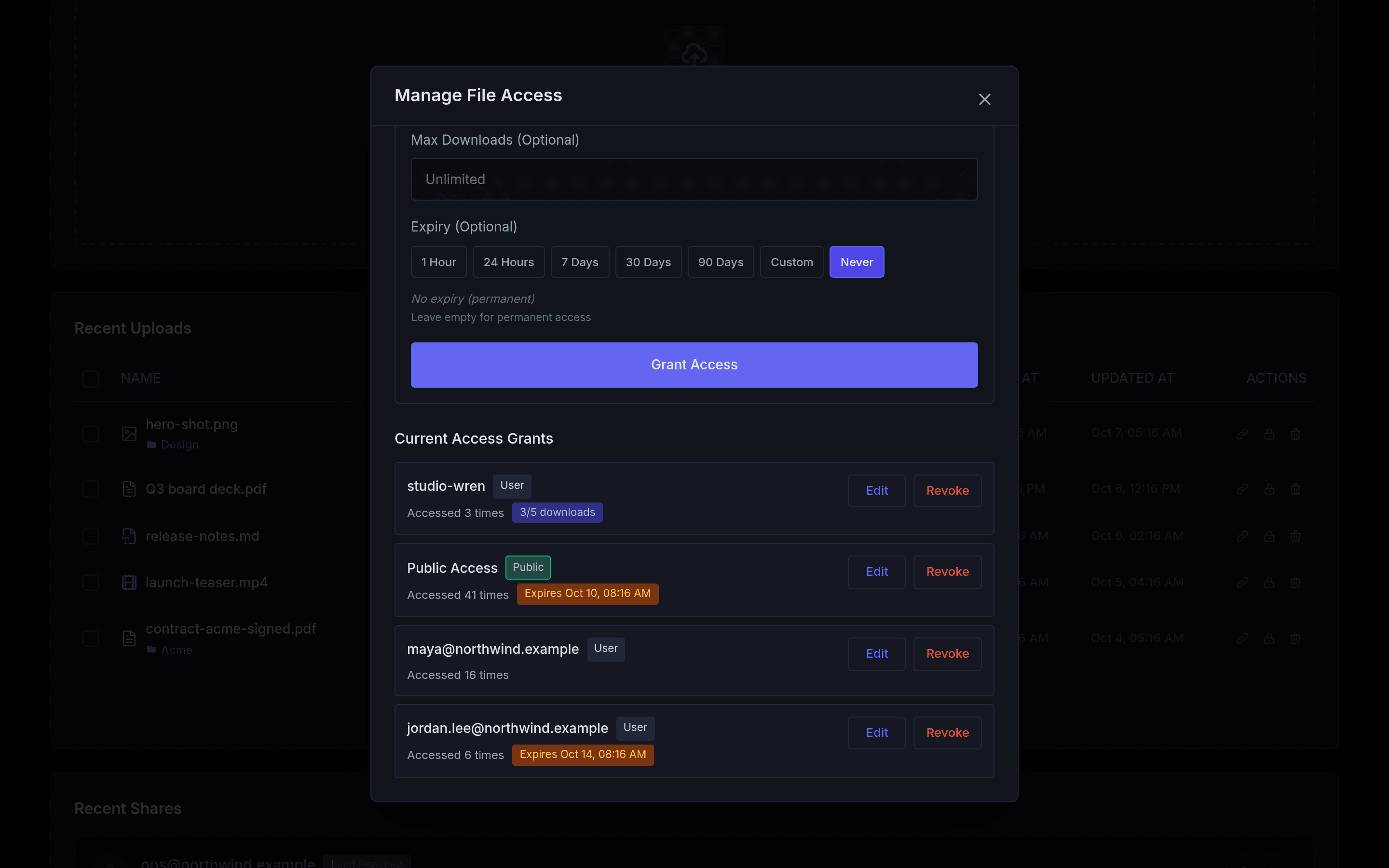
Let access lapse after an hour, a week or a date you pick, and cap how many downloads a grant gets.
2 of 5 downloads
Expires in 6 days
Revoke in real time
Remove a grant and a recipient who has the file open is signed out on the spot.
Their open session ends immediately
Preview without downloading
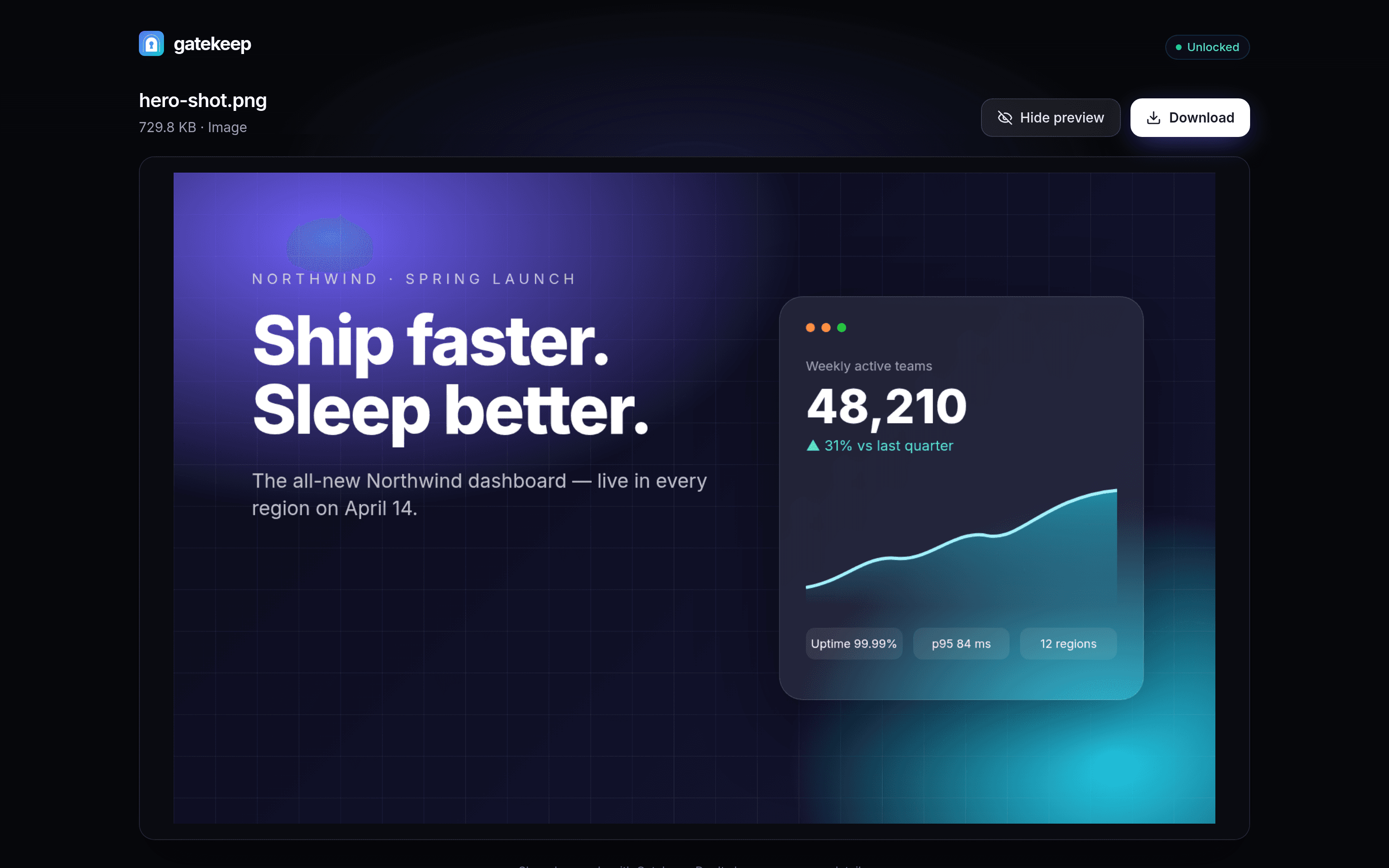
Images, video, audio, PDFs, code and Office documents open right in the browser.
An audit log with reasons
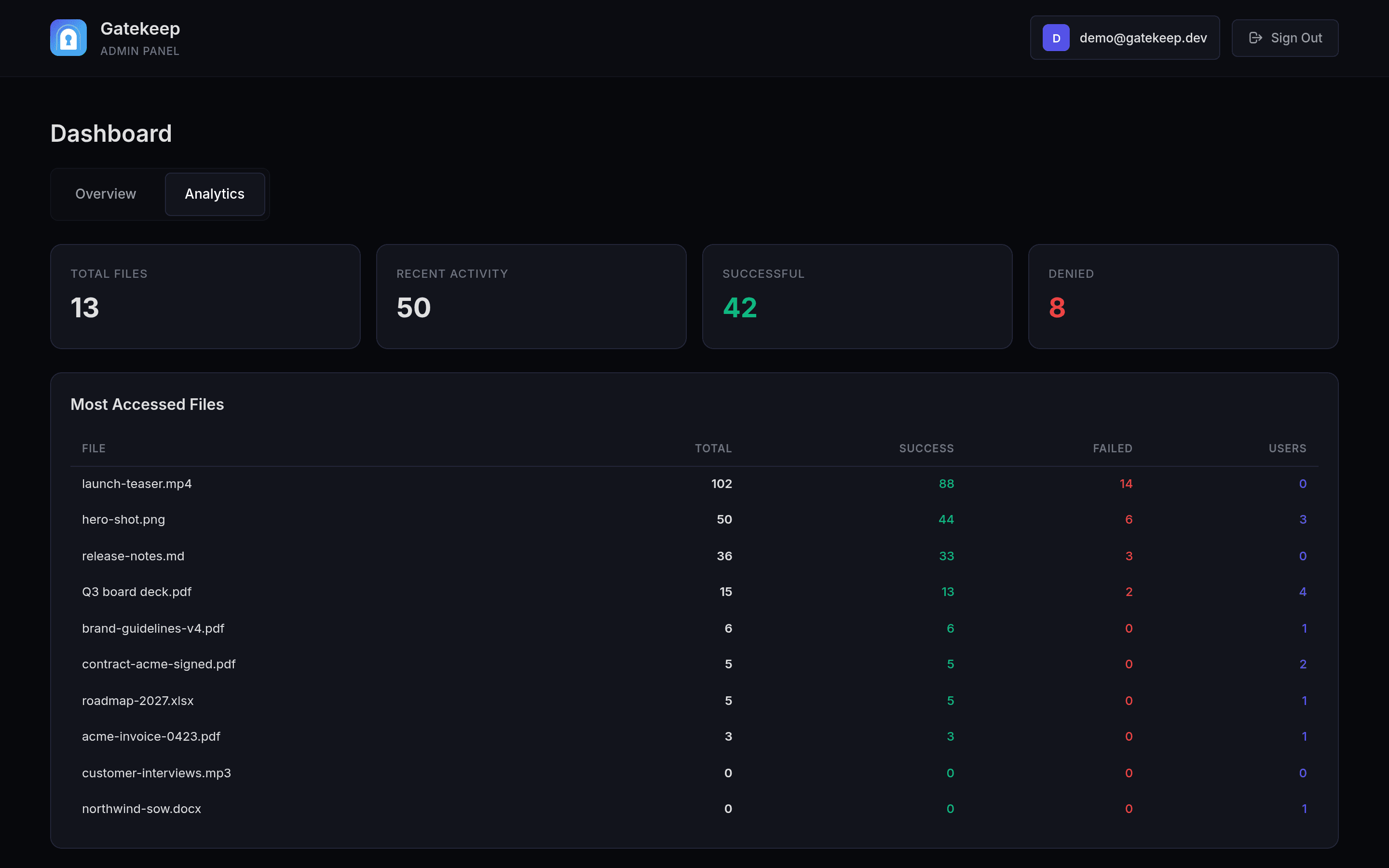
Every unlock attempt — granted or denied — is recorded with its reason, IP and time. Analytics rank your most-opened files; download counts sit on each grant.
Folders, bulk grants & email
Organise uploads into nested folders, grant a whole list at once, and optionally email people when they’re given access (via Resend).
Clients
└ Acme
└ Contracts
Access granted
“You can now open Q3-board-report.pdf”
How it works
From upload to unlocked in three steps.
Upload straight to your bucket
Drag in files or whole folders. The browser uploads directly to your private Supabase Storage with presigned URLs, and each file gets its short link immediately.
Drop files or folders
Up to 100 MB each · straight to your bucket
- contract-final.pdf1.8 MB
dl.example.com/k9Tq2W
- site-photos.zip86 MB
- launch-video.mp442 MB
Decide who gets in
Add recipients with their own password, set an expiry and a download cap, or create a password-only public link. Change or revoke any of it later.
Send the link. They unlock it.
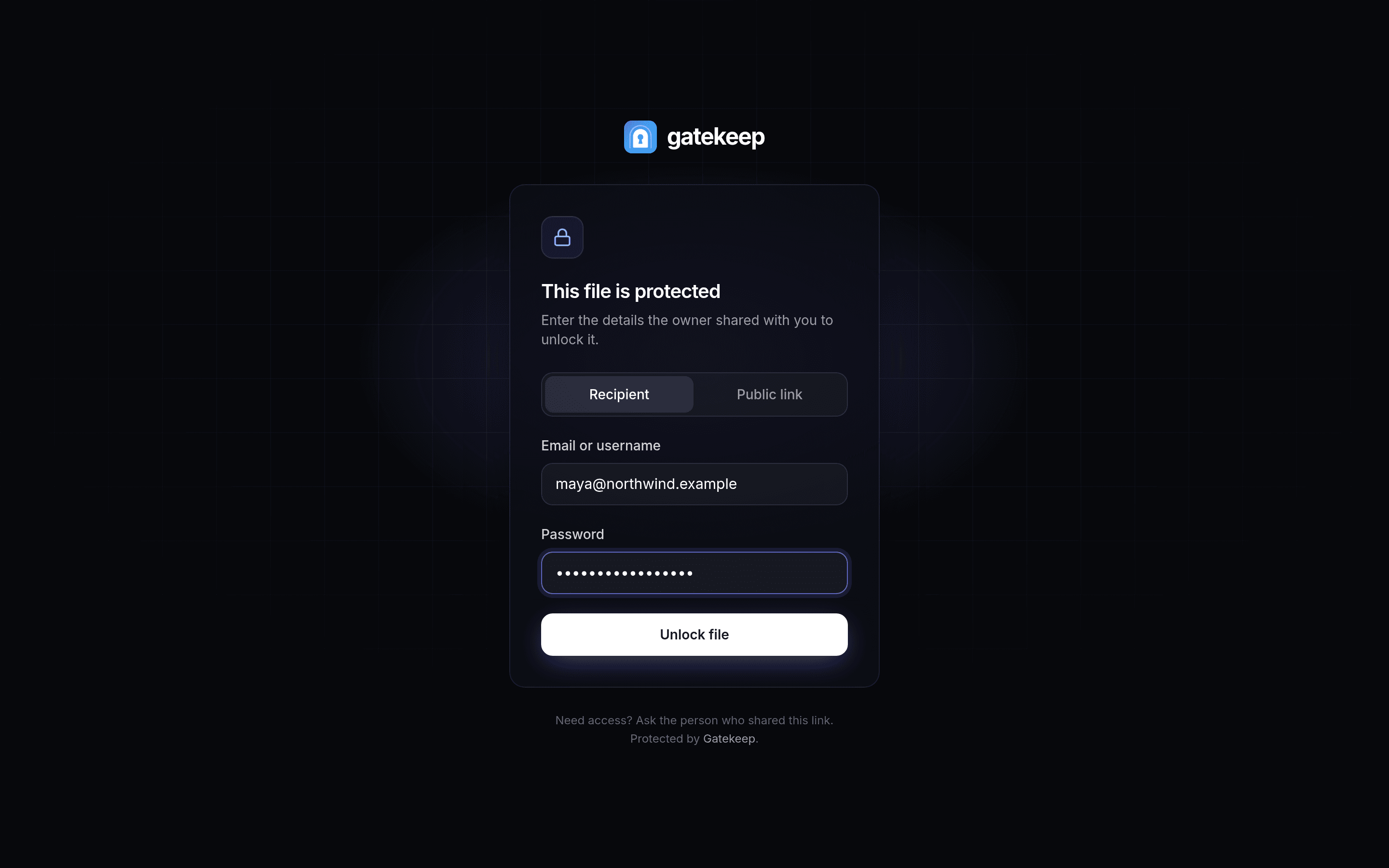
Recipients open the short link, enter their password and preview or download — no account, no app. Their session lasts 24 hours and ends the moment you revoke it.
Security
Locked down by default.
No setting to forget. Every grant is re-checked on the server before a single byte leaves storage.
Row-level security on every table
Postgres policies scope every row to its owner. The service-role key never reaches the browser.
Passwords are bcrypt-hashed
Recipient passwords are never stored or returned in plain text — not even to you.
Hashed, httpOnly sessions
Unlocking issues a random token, stored hashed and sent as an httpOnly, SameSite=Strict cookie.
Brute-force throttling
20 failed attempts per IP and 100 per file every 15 minutes, counted in the database so the limit holds across serverless instances.
Short-lived signed URLs
Files sit in a private bucket and only leave it through signed URLs issued after the grant is re-checked.
Strict headers
Content-Security-Policy, HSTS, frame denial and a locked-down permissions policy on every response.
Denied attempts are logged with their reason — wrong password, expired, limit reached.
Self-host
Your server. Your bucket. Your rules.
Bring a free Supabase project and run Gatekeep on Vercel or any machine with Docker. Setup takes about ten minutes.
Vercel
Recommended · one click
- 1Create a free Supabase project
- 2Apply the schema with
npx supabase db push - 3Click deploy and paste your keys
- 4Create your login with
npm run create-admin
Docker
Any server · keep-alive sidecar included
$ git clone https://github.com/omsingh02/gatekeep
$ cd gatekeep && cp .env.example .env
$ docker compose up -d --build
✓ gatekeep is running on :3000Health endpoint
/api/health for your uptime monitor.
Stays awake
A daily job keeps free Supabase projects from pausing.
MIT licensed
Use it, fork it, ship it — commercially too.
FAQ
Questions, answered.
Do recipients need an account?
No. You add a recipient by email or username and give them a password — or create a public, password-only link. They open the short link, enter it, and that’s it.
Where are my files stored?
In a private Storage bucket in your own Supabase project. Uploads go straight to the bucket with presigned URLs and downloads use short-lived signed URLs. One thing to know: Office documents (Word, Excel, PowerPoint) are previewed with Microsoft’s online viewer, which fetches the file through a signed link.
Can I take access away after sharing?
Yes. Revoke a grant and it stops working immediately — a named recipient who has the file open is signed out in real time. Grants can also expire on a date or after a number of downloads.
What does it cost to run?
Gatekeep is MIT-licensed and free, and it runs on Supabase’s and Vercel’s free tiers. A daily keep-alive job stops a free Supabase project from pausing. Check your Supabase plan’s storage and upload-size limits — Gatekeep accepts files up to 100 MB.
Can I use my own domain?
Yes. Set NEXT_PUBLIC_APP_URL to your domain and every share link is generated on it, e.g. files.yourcompany.com/aB3xY9.
How do I know it’s working?
Point any uptime monitor at /api/health — it returns 200 when the app can reach the database and 503 when it can’t. Every unlock attempt, granted or denied, is in the audit log with its reason.
Own your file sharing.
Free, open source and yours to run. Deploy in minutes — or read the code first.